Services · Build the product
Desktop application development
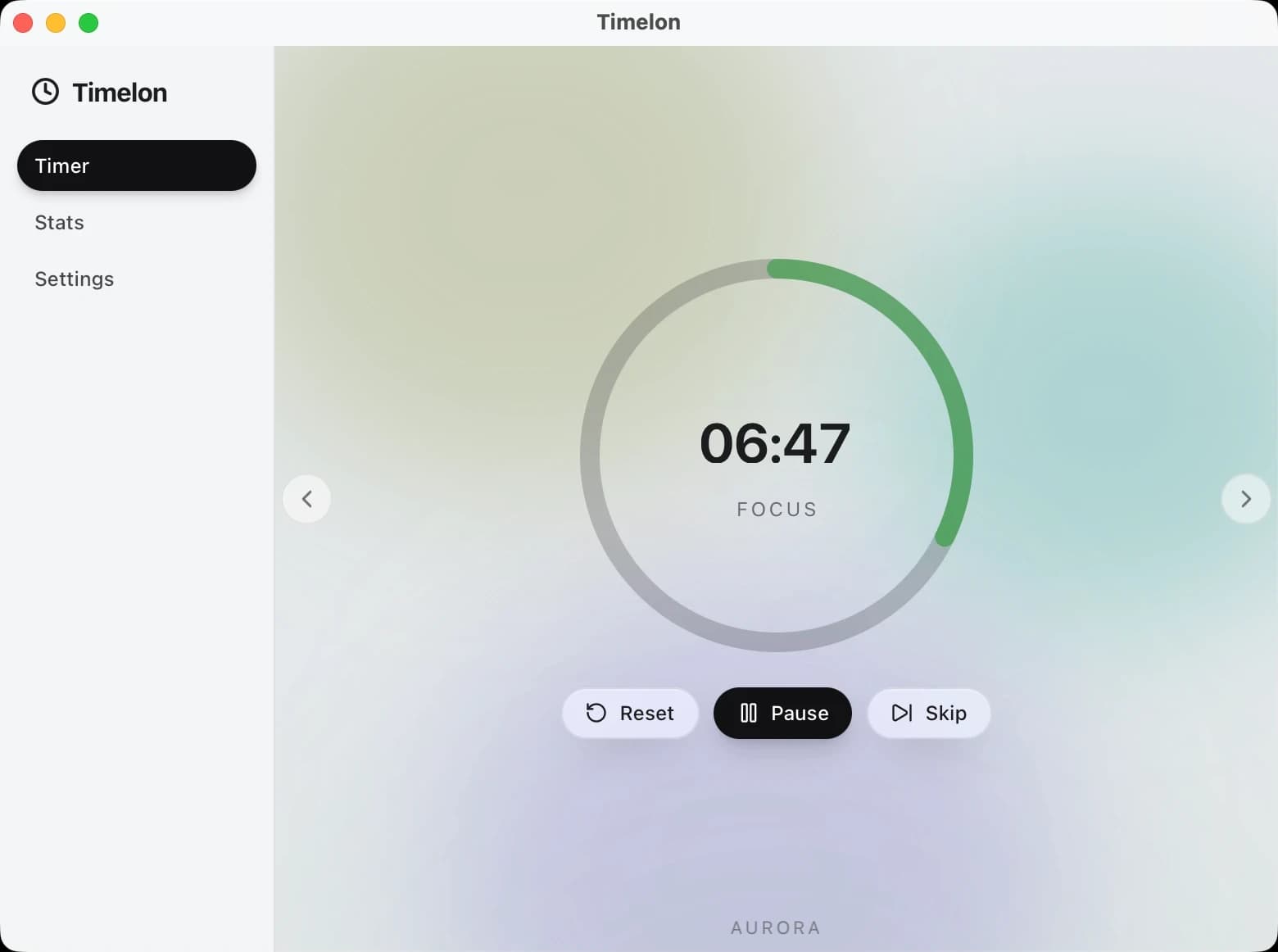
Axar7 builds desktop applications with Tauri or Electron and a React interface, for macOS, Windows and Linux, with the menu bar presence, notifications and launch at login a desktop app is expected to have. Our own Timelon, a Pomodoro timer built with Tauri on a MERN stack and soon to be open source, keeps its countdown in the menu bar, alerts with a sound you choose and charts every session.
Updated
On record
01How it works
Desktop application development, step by step
- 01
In the menu bar, not in the way
Most of the time Timelon is not a window at all. The countdown sits in the menu bar, as a thin icon beside the time or as a solid pill with the icon and the time cut out of it, and a size setting scales it to suit the screen.
- 02
A session, then a break
Focus, short break and long break each have their own length, and you choose how many focus sessions come before a long break. The ring runs down, the session hands over to the next, and breaks and focus can start by themselves.
- 03
Told when it ends, with your sound
When a session ends, a native notification says what finished and what starts next, such as "Long Break finished. Starting Focus.", and the alert plays: one of twelve sounds, at the volume you set, with a preview in settings.
- 04
Every session counted
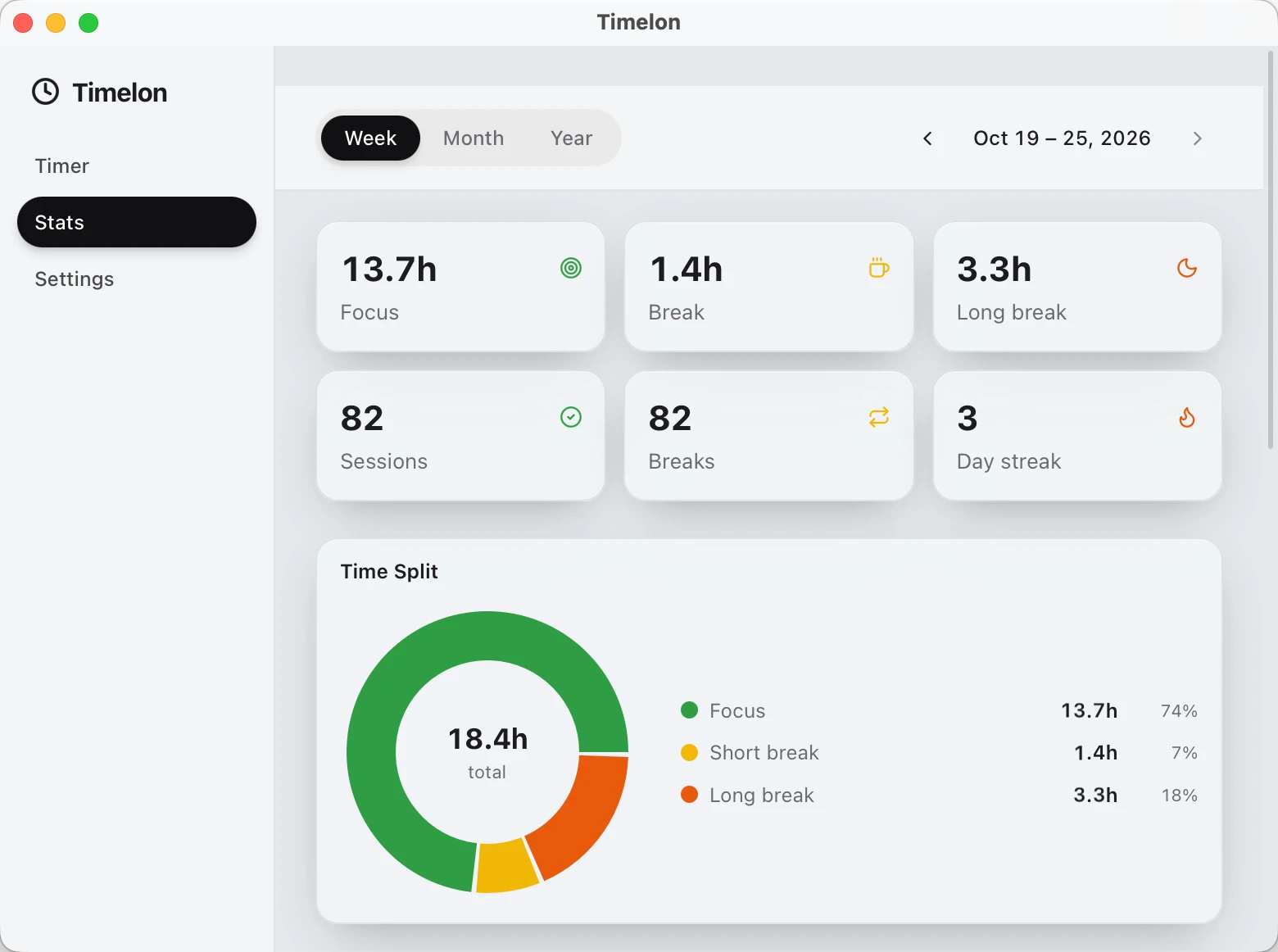
Stats read the record back by week, month or year: totals for focus, breaks and long breaks, the number of sessions and the day streak, a split of the time between the three, the time per day and the focus sessions across the period.
02Scope
What we build
- Desktop apps for macOS, Windows and Linux, with Tauri or Electron
- Menu bar presence, native notifications and launch at login
- Settings, themes and appearance options people can make their own
- Local history and charts of how the app is used
- An optional server side, such as a backup of the app's data
03Proof
Where we have done this

04Stack
What we build it with
- Tauri
- Electron
- React
- Node.js
- Express
- MongoDB
05Questions
Common questions
Which framework do you build desktop apps with?
Tauri or Electron, with a React interface. Timelon, our Pomodoro timer, is built with Tauri on a MERN stack: MongoDB, Express, React and Node.js.
Can a desktop app live in the menu bar?
Yes. Timelon's countdown runs in the menu bar, either as a thin icon and the time or as a solid pill, and a size setting scales it.
Can it notify people when something happens?
Timelon sends a native notification when a focus session or a break ends, plays the alert the user picked from twelve sounds, and can start the next session by itself.
Which platforms do your desktop apps run on?
macOS, Windows and Linux. Timelon runs on all three.
Does a desktop app need a server?
Not necessarily. Timelon works on its own; its MERN server side is optional and keeps a backup of the stats.
How long does a desktop app take?
It depends on the project. Simpler requirements take a few weeks, up to a month; complex builds take months.
06Related