Services · Connect & automate
AI integration
Axar7 integrates AI where a project needs it and to the extent it uses it: OpenAI, Claude or Gemini through their SDKs, wired into the product or workflow, with a person in the loop where the output reaches customers. In our own products, QuickCraft writes mockup text inside Figma, EaseClip writes the script for each scene and TabBud summarises each collection of saved tabs; in client work, WayOn reads plain-language travel requests, the Lead Discovery App reads text on the phone itself, and GPT-4o drafts outreach in the Sales Ops Engine behind a human review gate.
Updated
01How it works
AI integration, where it already works
- 01
Search that understands a sentence
In WayOn a traveller describes what they want in plain language. The platform extracts the intent and the entities in the request and matches them to the most relevant listings, so people who do not know the right search terms still find the right activity.
- 02
Text read on the device
The Lead Discovery App reads the text a user points the camera at with on-device OCR, built on the native Android and iOS SDKs. Scanning works without first sending an image to a server.
- 03
A model picks the angle
In the Sales Ops Engine, GPT-4o reads each lead's signals from HubSpot and Airtable and picks a specific hook to open with. Outreach copy is written around it, alongside a personalised video generated through D-ID.
- 04
A person approves
Generated copy and video wait in an Airtable review gate until a person has checked them. Automated outreach fails in public when a line misreads a lead, so nothing reaches a prospect without approval.
02Scope
What we build
- Text generation, rewriting, scripts and summaries inside a product
- Natural-language search over a product's own catalogue
- On-device text recognition in mobile apps
- LLM-assisted search for queries a filter cannot express
- Document parsing into structured data
- Model steps inside workflows, behind human review
03Proof
Where we have done this
- 01
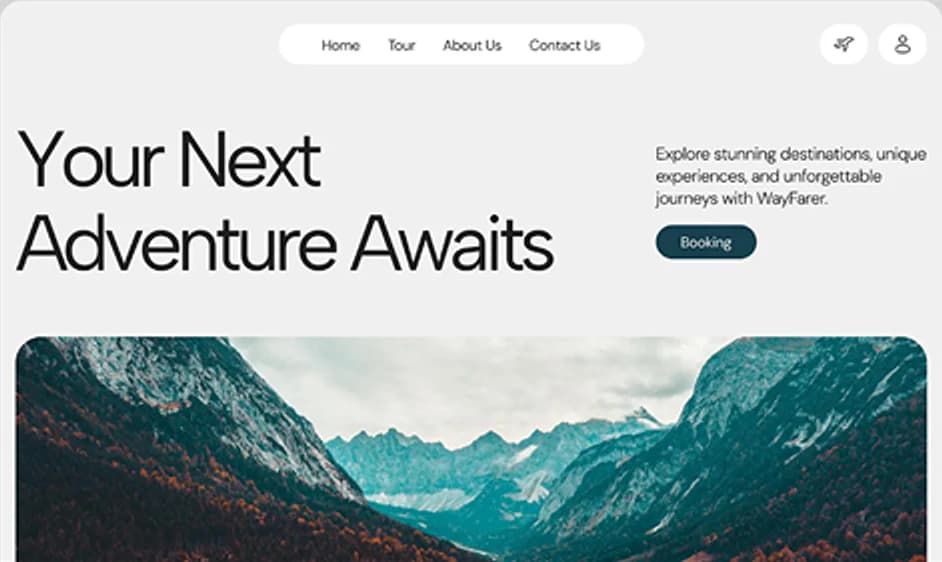
WayOn
Adventure & sports discovery, booking and marketplace
Full-Stack ProductBooking Platform - 02
Lead Discovery App
React Native app for finding and exporting B2B leads on the go
Mobile AppReact Native - 03
Sales Ops Engine
AI outreach pipeline with personalised video, built on n8n
AI AutomationWorkflow Orchestration
Our own products
04Stack
What we build it with
- OpenAI SDK
- Claude (Anthropic SDK)
- Gemini SDK
- AI SDK
- Docling
- Python
- FastAPI
- Pydantic
- n8n
- React Native
05Questions
Common questions
Will AI send things to our customers on its own?
Not in what we have built. In the Sales Ops Engine every generated message and video goes through a human review gate before it is sent.
Does AI processing mean sending our data to a server?
Not always. The Lead Discovery App's OCR runs on the phone through the native iOS and Android SDKs, so scanning works without sending an image to a server.
Which models have you shipped with?
We integrate OpenAI, Claude and Gemini through their SDKs. Shipped work on this site uses GPT-4o with D-ID video in the Sales Ops Engine, and the OpenAI SDK in our own QuickCraft (mockup text), EaseClip (scene scripts) and TabBud (collection summaries).
How do you decide where AI belongs in a project?
By the project's requirements and how much it actually needs AI. We pick the model and how it is wired in for the job at hand, and keep a person reviewing the output wherever it reaches customers.
How long does an AI integration take?
It depends on the project. Simpler requirements take a few weeks, up to a month; complex builds take months.
06Related
Related services
- n8n workflow automationAxar7 builds n8n workflows that take repetitive, pattern-shaped work off a team, wired into the tools it already uses.
- Mobile app developmentAxar7 builds mobile apps for iOS and Android in React Native, from one codebase, with native SDK modules only where the work has to run on the device.